Product case study

XClaw

OpenClaw, ready for beginners.

A desktop AI workspace that turns installation, sign-in, models, skills, and automation into one visible product flow.

500+ models ready 50+ built-in skills No CLI required
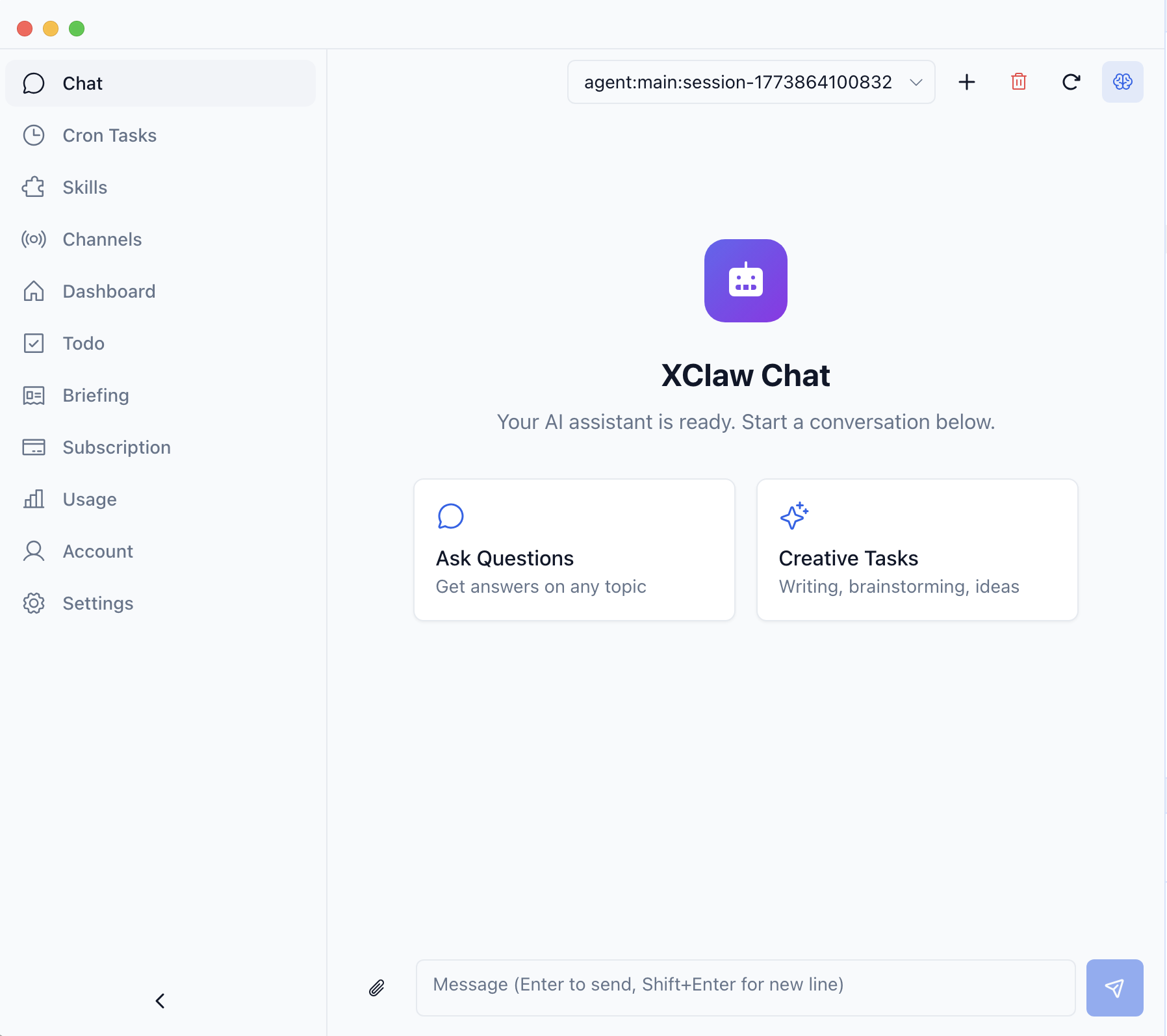
XClaw desktop chat welcome state
RoleIndividual Contributor (IC)
PeriodSep 2025 - Nov 2025
ScopeProduct, frontend, AI workflows
ReleaseDesktop and web

One product instead of a setup puzzle.

XClaw packages the difficult first mile of OpenClaw into a desktop product that non-technical users can understand, configure, and continue using.

What I built

I shaped the product flow from first launch through everyday operation, connecting onboarding, model access, skills, channels, automation, usage, subscription, and account continuity.

The core design principle was simple: keep system state visible so users can make progress without becoming operators first.
  • 01Product framing and workflow architecture
  • 02Seven-step onboarding and recovery states
  • 03Desktop information architecture and interaction system
  • 04Model, skill, channel, and automation surfaces
  • 05Frontend implementation, iteration, and QA

The AI was not the blocker. Setup was.

People wanted outcomes from OpenClaw, but the path to those outcomes was fragmented across terminal commands, model configuration, skills, and account state.

CLI friction

The terminal wins before value appears.

Users should not need to become operators before they can try an AI workspace.

Scattered setup

Models, skills, and accounts feel self-assembled.

Critical configuration was difficult to discover, explain, and recover.

Hard to sustain

Automation stays trapped in scripts.

Recurring work needs visible schedules, state, and ownership to remain useful.

Hard to evaluate

Invisible usage and account state lower trust.

Teams need clear access, plan, and token information before they can adopt a system.

Seven visible steps from install to ready.

The onboarding flow handles uncertainty in sequence: explain, authenticate, check, configure, connect, install, and confirm readiness.

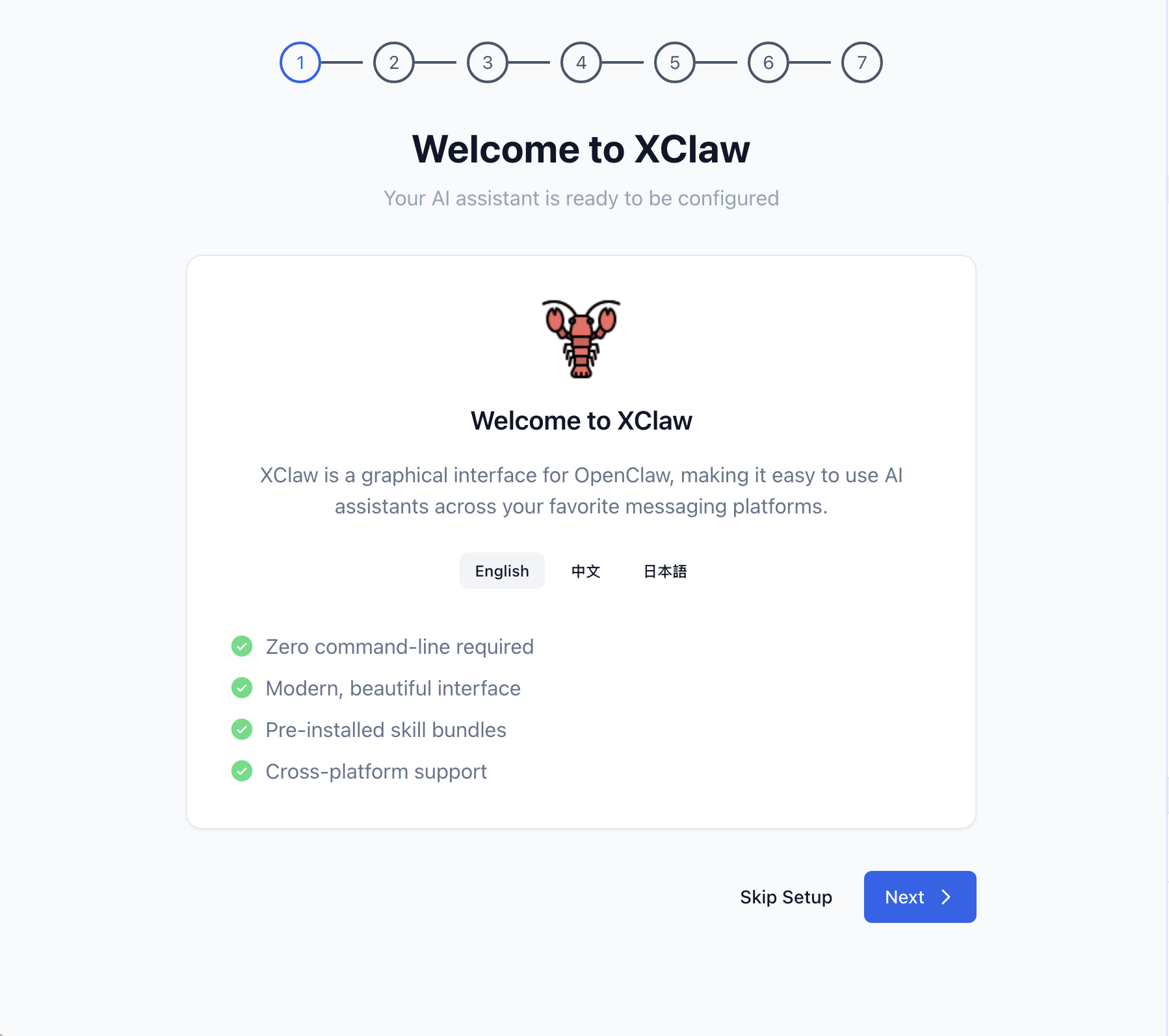
01 / 07

Explain the path before asking for setup

Users first understand what this is and what happens next.

The first screen removes uncertainty instead of front-loading complexity.

XClaw welcome screen

It is more than a chat shell.

Core work, automation, and system operation share one desktop language so users can understand where they are and what happens next.

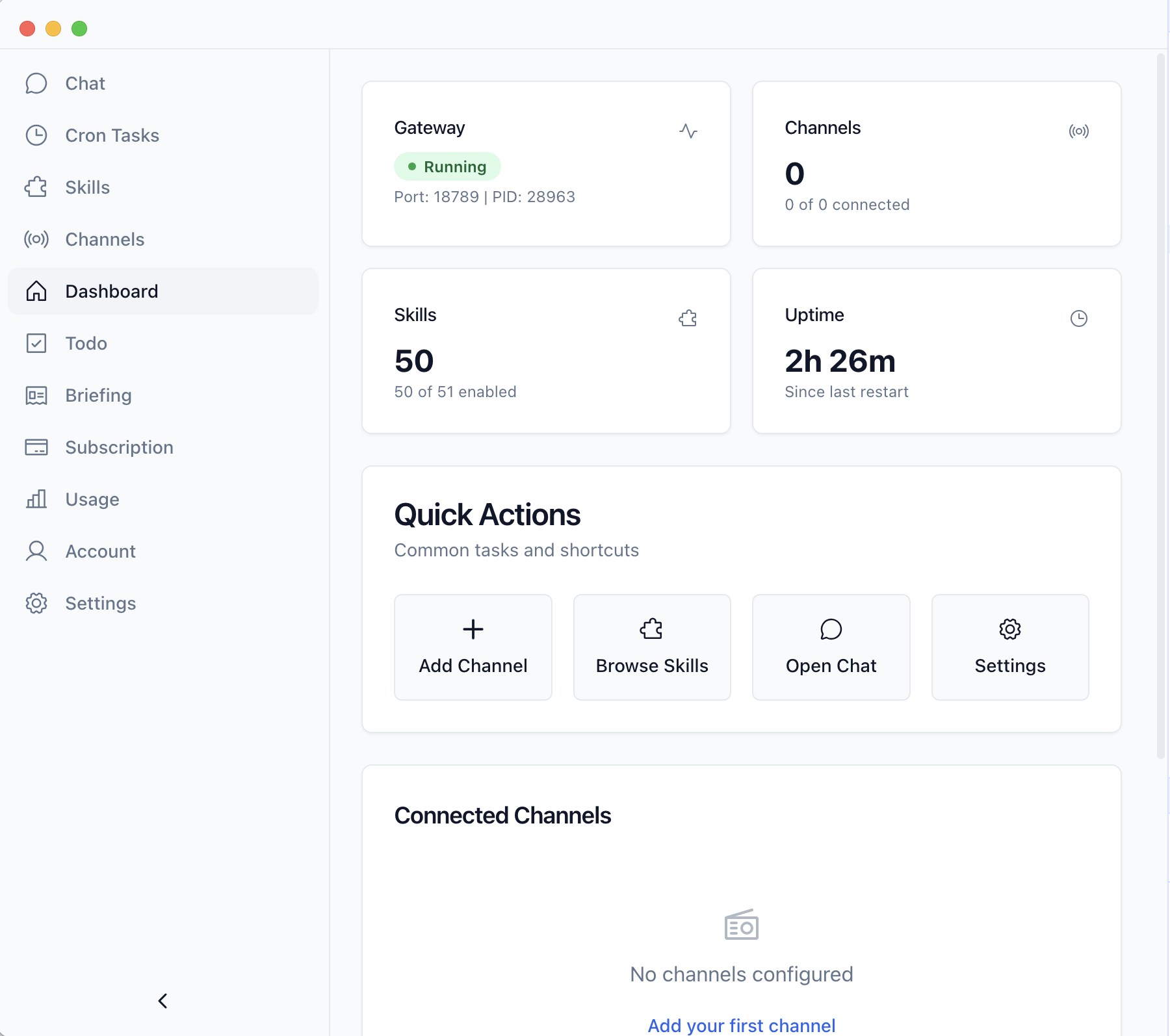
Dashboard

See the state before making the next move

Models, channels, skills, and key entries stay visible from the first desktop surface.

  • Account state
  • Model entry
  • Skill overview
XClaw dashboard page

Access and continuity are product surfaces.

Subscription, model availability, account state, and cross-device continuity are visible parts of the experience, not hidden operational details.

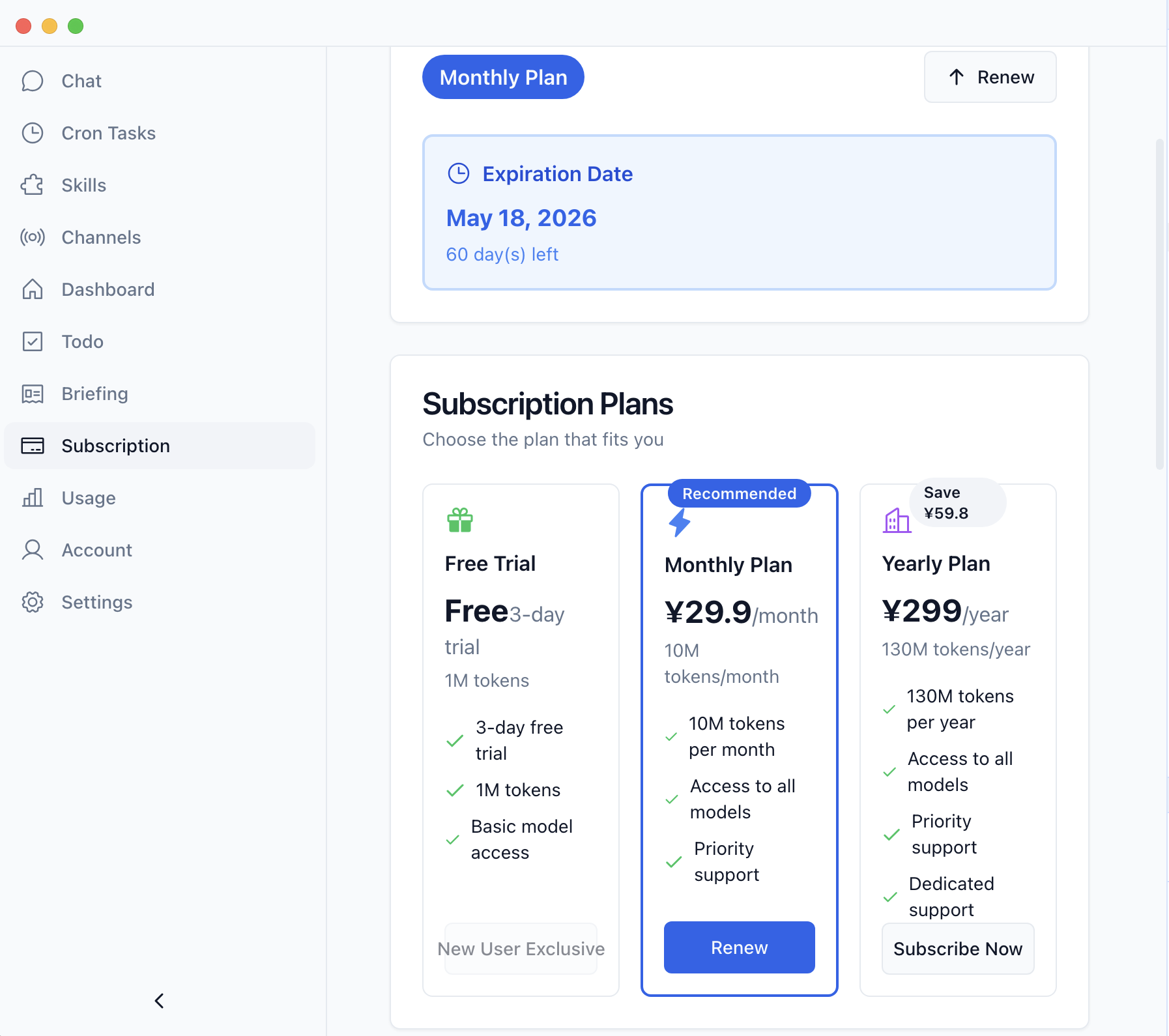
XClaw subscription allowance tiers
Subscription and API

Subscribe once, then choose from 500+ models.

Allowance tiers, built-in API access, and the supported model catalog stay understandable inside the product.

  • Free, monthly, and yearly allowance tiers
  • Built-in model access after subscription
  • Usage and entitlement stay visible
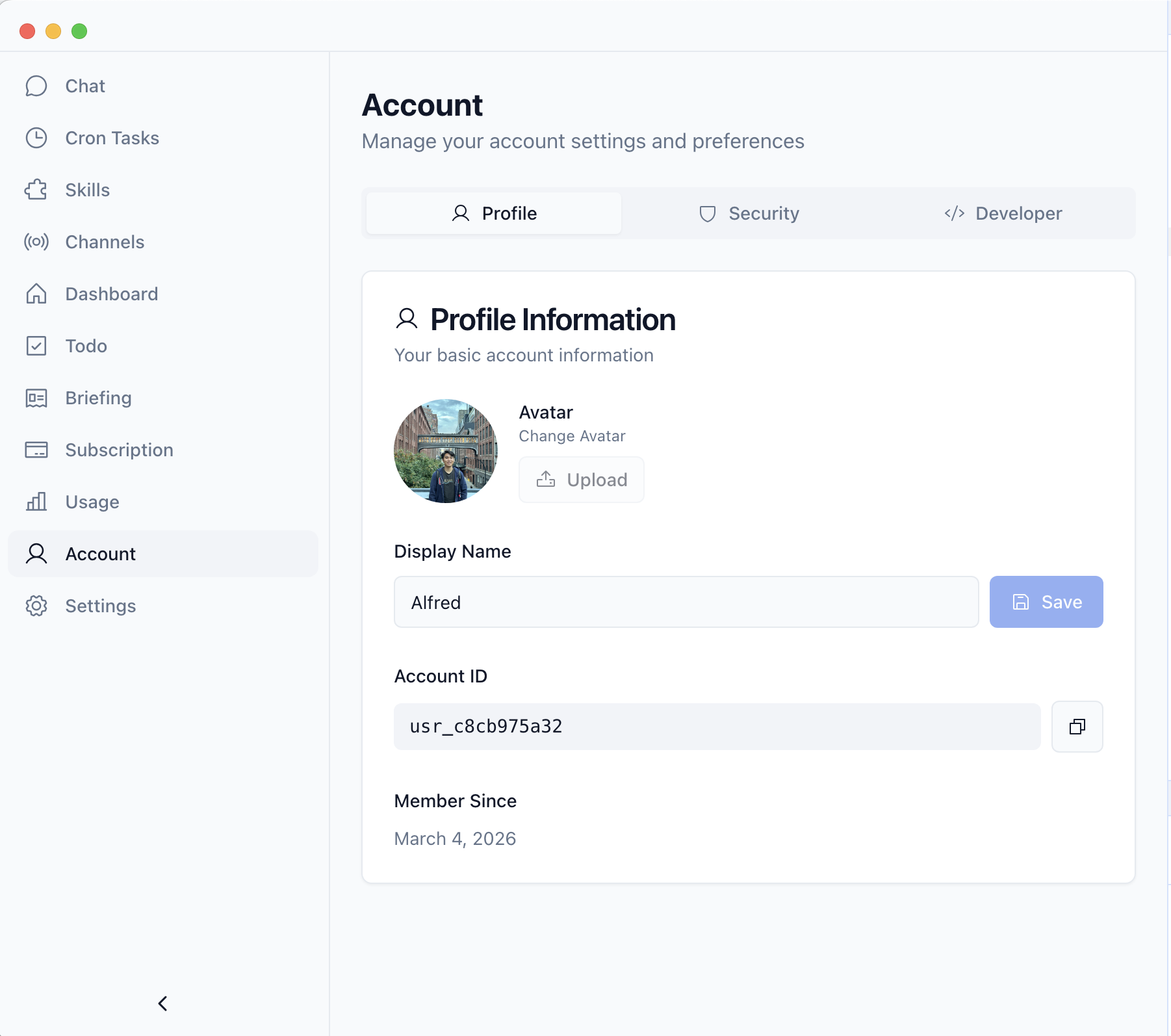
XClaw account profile and access state
Account and security

Sign in once and keep access connected.

Profile, plan, and model access remain tied to the account, making the workspace easier to resume across devices.

  • Saved profile and account state
  • Plan and model access stay connected
  • Clearer recovery when users switch devices

What the shipped system now makes possible.

The outcome is not a single interface. It is a complete path from first launch to ongoing AI work, grounded in visible product state.

No CLI first mile

Users can start from a desktop installer and move through a guided setup path.

500+ models ready

Model access and built-in API configuration stay in the product instead of external setup files.

50+ skills built in

Skills, reminders, briefings, channels, and scheduled work become visible, reusable capabilities.

Reflection

Designing for beginners did not mean hiding the system. It meant exposing the right state in the right order.

The strongest decisions came from treating installation, account access, model configuration, and automation as one product journey. That framing made the desktop workspace easier to explain and made failure states easier to recover.

The next step is deeper validation across operating systems, plan tiers, and long-running automation, with product analytics tied to each onboarding transition.

Skip setup. Start work.

Download the desktop app, sign in, connect model access, and use OpenClaw through a real product instead of a terminal-first workflow.